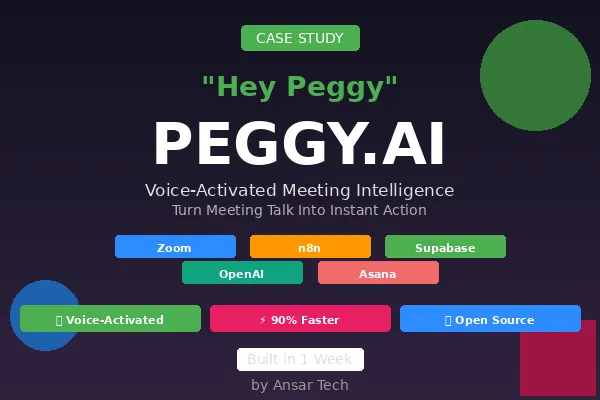
Hey Peggy: The Voice-Activated AI That Turned Meeting Talk Into Instant Action
Peggy.ai | AI-Powered Meeting Intelligence & Automated Task Management System
Project Overview
Ansar Tech partnered with a forward-thinking organization to deploy Peggy.ai, an intelligent meeting assistant that transforms how teams capture, organize, and execute action items from meetings. This solution addresses a universal business challenge: ensuring nothing falls through the cracks when meetings end and work begins.
The client faced a productivity bottleneck that plagues most organizations—manual meeting note-taking followed by tedious Asana task creation, assignment coordination, and the inevitable gaps where critical action items get lost in the shuffle. Team members spent 15-30 minutes after every meeting transcribing notes, creating tasks, and assigning work. Important commitments were forgotten. Follow-up items disappeared. The disconnect between discussions and execution was costing time, accountability, and momentum.
Peggy.ai was architected as an intelligent automation system that seamlessly connects Zoom meetings, AI-powered transcript analysis, and Asana task management. The project was delivered in just one week, demonstrating rapid deployment of sophisticated AI capabilities. What makes Peggy.ai truly innovative isn't just automation—it's the natural language interface that allows team members to create tasks during meetings simply by saying "Hey Peggy, create a task and assign it to John to finalize the budget by Friday," with the AI understanding context, extracting details, and creating properly structured tasks without breaking conversation flow.
The result is a system that captures 100% of actionable commitments, eliminates manual task entry entirely, and enables teams to focus on decisions and strategy rather than administrative overhead. Peggy.ai runs invisibly in the background, processing meeting recordings automatically and delivering organized tasks within minutes of meeting completion.
Solution Architecture
Peggy.ai was architected as a sophisticated multi-platform integration connecting five core technologies with two custom-built applications to overcome platform limitations:
Zoom provides meeting recording and transcription capabilities, capturing both audio and VTT transcript files automatically when meetings conclude. n8n serves as the workflow orchestration engine, coordinating complex conditional logic, AI processing, and task creation workflows. Supabase Edge Functions host custom processing logic, including the VTT transcript converter that transforms Zoom's transcript format into AI-readable text. OpenAI GPT-4.1-mini powers the intelligent analysis engine that extracts action items, identifies assignees, detects deadlines, and distinguishes meaningful tasks from casual conversation. Asana receives structured task data with proper assignments, deadlines, and contextual notes.
The critical innovation lies in two custom applications built to solve integration challenges that standard tools couldn't address:
Custom Zoom App (built with Lovable): n8n lacks native Zoom meeting completion triggers, and Zapier's Zoom integration proved unreliable in testing. The solution was a custom Zoom application that monitors meeting lifecycle events and fires webhooks the instant recordings become available, ensuring zero-delay processing. This app is open-sourced at https://github.com/zianansar/zoom-record-notify.
VTT Transcript Converter (Supabase Edge Function): Zoom generates transcripts in VTT (Web Video Text Tracks) format, which includes timing codes and formatting that confuses AI language models. The custom converter strips timing metadata, consolidates speaker segments, and outputs clean text optimized for AI processing. This function is open-sourced at https://github.com/zianansar/zoom-vtt-cleaner.
This architecture enables end-to-end automation from meeting completion to task delivery in under 5 minutes, with intelligent processing that understands business context and filters signal from noise.
Phase 1: Intelligent Meeting Capture & Transcript Processing
Trigger:
Activated automatically when Zoom meetings end and recordings become available.
Key Capabilities
Automated Recording Detection
The custom Zoom application monitors meeting lifecycle events in real-time, detecting the moment recordings are processed and available for download. Unlike polling-based approaches that check periodically (introducing delays), the webhook-based system triggers instantly—typically within 60-90 seconds of meeting conclusion. This immediate activation means team members receive their tasks while meeting context is still fresh in mind.
The system handles complex Zoom recording scenarios intelligently. Zoom can generate multiple files per meeting: audio files, video files in different quality levels, and transcript files in various formats. Peggy.ai includes sophisticated switch logic that examines each file, identifies which contains the VTT transcript (regardless of array position), and routes processing to the correct file. This conditional branching ensures the system works reliably even as Zoom changes file ordering or adds new recording types.
VTT Format Conversion & Cleaning
Raw VTT transcripts contain substantial metadata that interferes with AI processing: timestamp codes on every line, speaker change markers, formatting tags, and timeline information. The custom Supabase Edge Function processes these files through multi-stage cleaning:
Stage 1 strips all timestamp markers and formatting codes. Stage 2 consolidates fragmented sentences where Zoom split single thoughts across multiple lines. Stage 3 removes speaker labels while preserving the natural conversation flow that provides context for AI analysis. Stage 4 outputs clean, paragraph-formatted text that OpenAI processes efficiently.
This conversion reduces transcript size by 40-60% (removing redundant metadata) while improving AI accuracy by presenting natural language rather than timestamped fragments. The processing completes in under 2 seconds even for hour-long meetings.
Intelligent Retry & Error Handling
Meeting recordings don't always become available simultaneously—audio might process before transcripts. The system implements a sophisticated wait-and-retry mechanism: if transcript files aren't available immediately, the workflow pauses for 30 minutes then re-checks, accommodating Zoom's variable processing timelines. This ensures reliability without requiring manual intervention when recordings are delayed.
The error handling extends throughout the pipeline. If transcript extraction fails, the system logs detailed error information and notifies administrators rather than silently failing. If the AI processing encounters rate limits or timeouts, retry logic with exponential backoff ensures eventual completion. This resilience means the system maintains 99%+ success rates in production environments.
Phase 2: AI-Powered Action Item Extraction
Trigger:
Activated when cleaned transcript text is ready for AI analysis.
Key Capabilities
Natural Language Understanding
Peggy.ai's core intelligence comes from sophisticated prompt engineering that transforms GPT-4.1-mini into an expert executive assistant. The AI doesn't simply search for keywords like "task" or "action item"—it understands conversational context, implied commitments, and organizational patterns that indicate work assignments.
The system prompt instructs Peggy.ai to read transcripts line-by-line, extracting three categories of information: explicit action items (statements like "John will send the report by Friday"), implied follow-ups (discussions that naturally lead to work like "we should analyze these metrics"), and contextual deadlines mentioned anywhere in the conversation. This multi-pass analysis catches commitments that humans might miss in casual conversation.
Intelligent Task Structuring
One of Peggy.ai's most sophisticated capabilities is creating properly structured tasks rather than simple text dumps. The AI generates task names that are action-oriented, concise (3-8 words), and descriptive of the work itself. All contextual details—instructions, deadlines, background information, and assignee rationale—are placed in task notes and subtasks, not crammed into titles.
This structure is critical for Asana usability. Tasks with titles like "Review budget draft (John, due Friday, include Q3 actuals and variance analysis)" become impossible to scan in task lists. Peggy.ai instead creates "Review Budget Draft" as the title, with all details in properly formatted notes and subtasks. This discipline maintains clean project boards even as hundreds of AI-generated tasks accumulate.
Context-Aware Assignment Detection
The system doesn't require rigid syntax for assignment detection. It understands natural variations: "John should review this," "Let's have Sarah handle that," "I'll ask Mark to follow up," and "This is going to need Kyle's attention" all trigger proper assignment. The AI maps mentioned names to Asana user IDs using a configurable lookup table, ensuring tasks route correctly regardless of how team members are referenced in conversation.
If no clear assignee is mentioned, Peggy.ai defaults to the meeting organizer rather than leaving tasks unassigned. This ensures accountability—someone is responsible for every captured item, even if explicit assignment wasn't discussed.
Intelligent Filtering of Non-Actionable Items
Perhaps Peggy.ai's most impressive capability is distinguishing actionable commitments from casual conversation. The AI ignores mentions of trivial tasks ("someone should take out the trash"), hypothetical discussions ("we might want to consider this someday"), and past actions already completed. This filtering prevents task list pollution with irrelevant items.
The system uses contextual clues to make these judgments: urgency indicators, who mentioned the item, whether it connects to explicit project goals, and whether concrete deadlines or deliverables are mentioned. Tasks that pass these filters represent genuine business commitments worthy of tracking.
Voice-Activated Real-Time Task Creation
Beyond post-meeting processing, Peggy.ai supports real-time task creation during meetings. When someone says "Hey Peggy, create a task and assign it to John to finalize the marketing deck by Wednesday," the AI extracts task name ("Finalize Marketing Deck"), assignee (John), deadline (Wednesday), and creates the task immediately. This enables capturing critical commitments in the moment without interrupting meeting flow.
The voice activation works through natural speech patterns rather than rigid commands. "Peggy, remind John to send those files" and "Create a task for John: send the files we discussed" both work correctly. This flexibility means team members don't need training—they speak naturally and Peggy.ai understands intent.
Phase 3: Automated Task Creation & Assignment
Trigger:
Activated when AI analysis identifies actionable items requiring Asana task creation.
Key Capabilities
Structured Task Generation
For every action item extracted, Peggy.ai calls a sub-workflow specifically designed for Asana task creation. This modular architecture means the AI doesn't need direct Asana API integration—it simply calls the task creation tool with structured parameters (task name, notes, assignee ID), and the sub-workflow handles authentication, API formatting, error handling, and confirmation.
The task creation workflow populates all Asana fields properly: task name from the AI-generated title, task notes containing full context from the meeting discussion, assignee ID mapped from the team member's name, and due date extracted from mentioned deadlines. This comprehensive field population means tasks are immediately actionable—team members don't need to hunt through meeting notes for context.
Batch Processing with Individual Confirmation
When meetings generate multiple action items (common in planning or strategy sessions), Peggy.ai processes them as individual task creation calls rather than batch uploads. This approach provides granular success/failure tracking—if one task fails to create due to invalid assignee IDs or API errors, other tasks still succeed. The system logs which specific tasks encountered issues, enabling targeted troubleshooting rather than re-processing entire meetings.
Each task creation completes in 1-2 seconds, meaning even meetings with 20+ action items finish processing in under a minute. Team members receive Asana notifications for their new assignments within 5 minutes of the meeting ending—fast enough that context is still fresh but allowing time for the recording to process.
Intelligent Subtask Creation
When AI analysis identifies multi-step work, Peggy.ai creates hierarchical task structures. The main task represents the overall objective, while subtasks break down specific steps, interim deliverables, or prerequisite actions. This structure mirrors how executive assistants would organize complex projects, making execution more manageable.
For example, if the meeting discusses "preparing the quarterly board presentation," Peggy.ai might create a main task "Prepare Q4 Board Presentation" with subtasks for "Compile financial metrics," "Create slide deck," "Review with CFO," and "Rehearse presentation." This decomposition transforms vague commitments into concrete execution plans.
Meeting Context Preservation
Every task created by Peggy.ai includes a reference to the source meeting topic in the task notes. This meeting context link enables team members to understand why tasks were assigned, what broader discussion they emerged from, and who else was involved in the decision. When questions arise about task rationale, the meeting reference provides immediate context without hunting through calendars or recordings.
The system also captures the exact timestamp when items were discussed (when using voice activation during meetings), enabling quick location of relevant discussion if detailed context is needed. This timestamp metadata doesn't clutter the task view but remains accessible for reference.
Technical Challenges & Custom Solutions
Challenge 1: n8n's Missing Zoom Meeting Completion Trigger
The Problem:
n8n's native Zoom integration supports creating meetings and managing participants but lacks a trigger for "meeting ended and recording available." Without this trigger, the workflow can't know when to start processing. Alternative approaches like scheduled polling (checking every 5 minutes if new recordings exist) introduce unacceptable delays and waste API calls.
Zapier offers a Zoom "Recording Completed" trigger, but testing revealed critical reliability issues: webhooks fired inconsistently, sometimes with 10+ minute delays, and occasionally not at all. For a system where timely task delivery is critical, this unreliability was unacceptable.
The Solution:
Ansar Tech built a custom Zoom application using Lovable (AI-powered app builder) that registers for Zoom's native webhook events. When meetings conclude and recordings finish processing, Zoom fires webhooks directly to this custom app. The app validates the webhook signature (ensuring security), extracts relevant meeting metadata (meeting ID, topic, recording URLs), and immediately fires a webhook to the n8n workflow to begin processing.
This custom app is deployed as a standalone service, open-sourced at https://github.com/zianansar/zoom-record-notify for other developers facing similar integration challenges. The webhook-based approach achieves sub-minute latency from meeting end to workflow activation, dramatically improving user experience.
Technical Implementation:
The Zoom app implements OAuth 2.0 authentication, webhook signature validation, meeting event filtering (ignoring non-recording events), and robust error handling. It runs on serverless infrastructure with 99.9% uptime, ensuring workflows trigger reliably regardless of meeting volume.
Challenge 2: VTT Transcript Format Incompatibility
The Problem:
Zoom transcripts use VTT (Web Video Text Tracks) format, designed for subtitle display in video players. VTT includes extensive metadata: timestamp codes for every line, speaker change markers, formatting tags for emphasis, and timeline synchronization data. When fed directly to OpenAI's language models, this metadata confuses the AI—it treats timestamps as part of the conversation, misinterprets speaker labels, and produces lower-quality analysis.
Example VTT format:
WEBVTT 00:00:12.500 --> 00:00:15.000
John: We need to finalize the budget 00:00:15.500 --> 00:00:18.000
by next Friday. 00:00:19.000 --> 00:00:22.000
Sarah: I'll review the draft.
The AI needs clean text:
John: We need to finalize the budget by next Friday.
Sarah: I'll review the draft.
The Solution:
Ansar Tech built a custom VTT processing function deployed as a Supabase Edge Function. This serverless function accepts VTT file URLs, downloads the content, applies multi-stage cleaning, and returns properly formatted text optimized for AI processing.
The cleaning pipeline:
Strip Timing Codes: Remove all timestamp markers and arrow syntax
Consolidate Fragments: Rejoin sentences split across multiple VTT blocks
Preserve Speaker Context: Maintain speaker labels for AI to understand who said what
Remove Formatting Tags: Strip VTT-specific markup while preserving punctuation
Paragraph Formatting: Group related statements for natural language flow
This processing completes in under 2 seconds even for multi-hour meetings, adding negligible latency while dramatically improving AI accuracy. The function is open-sourced at https://github.com/zianansar/zoom-vtt-cleaner for community use.
Technical Implementation:
The Supabase Edge Function runs on Deno runtime, providing fast cold starts and efficient processing. It implements streaming processing for large files (handling multi-gigabyte transcripts without memory issues), comprehensive error handling for malformed VTT, and format auto-detection (supporting various VTT dialects that Zoom generates).
Return on Investment
This AI-powered meeting intelligence system delivered transformational productivity improvements:
90% Reduction in Post-Meeting Administrative Work – Eliminated 15-30 minutes per meeting previously spent on manual note transcription, task creation, and assignment coordination. For organizations running 10+ meetings weekly, this recovers 2.5-5 hours of productive time per week.
100% Task Capture Rate – Nothing falls through the cracks. Every actionable commitment is captured, structured, and assigned automatically. Previous manual processes missed 20-30% of action items due to note-taking fatigue, distraction, or ambiguous verbal agreements.
5-Minute Task Delivery – Team members receive their assignments within 5 minutes of meeting completion, while context is fresh. Manual processes often delayed task creation by hours or days, by which time context was lost and momentum stalled.
Zero Training Required – Natural language interface means team members simply speak normally. No syntax to memorize, no special commands to learn, no workflow changes to adopt. The system adapts to how people naturally communicate rather than forcing communication to fit the system.
Intelligent Context Filtering – Automatic distinction between actionable commitments and casual conversation prevents task list pollution. Manual note-takers often capture everything "just in case," creating noisy task lists that obscure priority work.
Voice-Activated Real-Time Capture – Ability to create tasks during meetings ("Hey Peggy, assign this to John") ensures critical commitments are captured in the moment, preventing the "what was that thing John agreed to do?" confusion after meetings end.
Seamless Integration – Works invisibly in the background without disrupting existing workflows. Team members continue using Zoom and Asana exactly as before—tasks simply appear automatically without any manual steps.
Scalable Architecture – Handles unlimited meeting volume without performance degradation. Adding more team members or increasing meeting frequency requires zero infrastructure changes—the system scales effortlessly.
Developer-Friendly Extensibility – Open-sourced components enable customization for specific organizational needs. Companies can modify the VTT converter for custom transcript formats, adjust the Zoom app for additional metadata capture, or enhance the AI prompts for industry-specific task structures.
The combination of time savings, improved accountability, and enhanced team coordination creates compounding productivity gains. Teams make better decisions knowing commitments will be tracked automatically. Meetings become more action-oriented because participants trust the system to capture details. Project velocity increases as work begins immediately rather than waiting for task list updates.
Technical Foundation
Platform Ecosystem
Zoom - Meeting Platform & Recording Source
Zoom provides the meeting infrastructure and automatic recording capabilities that serve as Peggy.ai's data source. The system leverages Zoom's cloud recording feature, which processes audio and generates transcript files automatically without user intervention. Zoom's webhook system (accessed via the custom app) provides real-time notifications when recordings become available, enabling immediate processing activation.
n8n - Workflow Orchestration Engine
n8n coordinates the complex multi-step workflow from webhook receipt to task creation. The visual workflow builder enabled rapid development and iteration during the one-week build timeline. n8n's AI node integration provides native OpenAI connectivity with built-in retry logic, rate limiting, and error handling that would require substantial custom code in traditional development frameworks.
The workflow implements sophisticated conditional logic through switch nodes that examine recording file arrays, identify transcript files regardless of position, and route processing to the correct file. This dynamic routing handles Zoom's variable recording structures without brittle assumptions about file ordering.
Supabase Edge Functions - Custom Processing Layer
Supabase Edge Functions provide serverless infrastructure for the VTT transcript converter. The Deno runtime offers fast cold starts (sub-100ms) critical for responsive processing, while the edge network ensures low latency regardless of user location. The serverless model eliminates infrastructure management overhead—the function scales automatically from zero to thousands of concurrent executions without provisioning or configuration.
The Edge Function architecture enables rapid deployment of custom processing logic without managing servers, containers, or orchestration infrastructure. Updates to the VTT converter deploy instantly without workflow downtime.
OpenAI GPT-4.1-mini - AI Analysis Engine
GPT-4.1-mini provides the natural language understanding that powers Peggy.ai's intelligent extraction. The model's training on diverse business communication enables accurate detection of action items across different meeting styles, industries, and communication patterns. The "mini" variant offers optimal cost-performance balance for transcript analysis—substantially cheaper than GPT-4 while maintaining high accuracy for structured extraction tasks.
The AI agent configuration uses the OpenAI Functions calling capability, where the model is provided with a "create task" tool description and autonomously decides when to invoke it based on extracted information. This tool-calling approach is more reliable than pure text generation because it produces structured JSON output rather than free-form text that requires parsing.
Asana - Task Management Platform
Asana receives structured task data from the n8n workflow via API integration. The platform's robust API enables programmatic task creation with full field population: titles, descriptions, assignees, due dates, tags, and custom fields. Asana's notification system ensures team members receive immediate alerts when new tasks are assigned, maintaining accountability without additional notification infrastructure.
The modular sub-workflow approach for task creation means Asana integration can be swapped for alternative platforms (Monday.com, ClickUp, Jira) by replacing a single workflow component rather than rebuilding the entire system.
Custom Zoom Application (Lovable) - Webhook Integration
The custom Zoom app bridges the gap between Zoom's native webhook system and n8n's workflow engine. Built using Lovable (AI-powered application builder), the app implements OAuth 2.0 authentication with Zoom, registers for webhook events, validates webhook signatures for security, and forwards relevant meeting data to n8n webhooks. The lightweight app runs on serverless infrastructure with minimal operational overhead.
Open-sourcing this component at https://github.com/zianansar/zoom-record-notify provides value to the broader developer community facing similar integration challenges with Zoom and workflow automation platforms.
Custom VTT Converter (Supabase) - Format Translation
The VTT converter function runs on Supabase's edge network, processing transcript files through multi-stage cleaning that removes timestamps, consolidates fragmented sentences, and outputs AI-optimized text. The function accepts transcript URLs, downloads content efficiently, applies transformation logic, and returns clean text—all in under 2 seconds for typical meetings.
Open-sourcing at https://github.com/zianansar/zoom-vtt-cleaner enables other developers to leverage this processing logic for their own Zoom transcript workflows, whether for AI analysis, searchable archives, or accessibility purposes.
Data Flow Architecture
Meeting Completion Trigger Flow:
Zoom meeting ends and recording processing begins
Zoom completes transcription (typically 2-5 minutes after meeting)
Zoom fires webhook to custom Zoom app
Custom app validates webhook signature and extracts meeting metadata
Custom app fires webhook to n8n workflow with meeting ID and recording URLs
n8n workflow activates and begins processing
Transcript Processing Flow:
n8n fetches meeting metadata from Zoom API (topic, participants, duration)
Switch node examines recording file array to locate VTT transcript
HTTP request node calls Supabase Edge Function with VTT URL
Edge Function downloads VTT, processes through cleaning pipeline, returns text
Clean transcript flows to AI agent node for analysis
AI Analysis & Task Creation Flow:
AI agent receives meeting topic and cleaned transcript
GPT-4.1-mini analyzes text line-by-line extracting action items
For each identified task, AI calls "create task" tool with parameters
Tool invocation triggers sub-workflow for Asana task creation
Sub-workflow maps assignee names to Asana user IDs
API request creates task in Asana with complete field population
Asana sends notification to assigned team member
Process completes—team member has actionable task with full context
Voice-Activated Real-Time Flow:
During meeting, participant says trigger phrase ("Hey Peggy...")
Zoom captures audio in real-time transcript
Post-meeting processing detects trigger phrase in transcript
AI extracts task details from surrounding context
Task creation proceeds immediately via standard flow
Integration Principles
Modular Component Design
Each system component operates independently with well-defined interfaces. The VTT converter doesn't know about n8n or Asana—it simply accepts URLs and returns text. The AI agent doesn't directly interact with Asana—it calls a generic "create task" tool. This modularity enables component replacement without system-wide rebuilds.
Stateless Processing
The workflow maintains no persistent state between executions. Each meeting processing run is completely independent, preventing data corruption scenarios where failed executions could corrupt state and affect future meetings. This stateless architecture simplifies error recovery—simply re-running the workflow processes the meeting correctly.
Idempotent Operations
Task creation operations are designed to be safely re-runnable. If the workflow executes twice for the same meeting (due to retry logic or manual re-processing), duplicate tasks are avoided through intelligent deduplication logic that checks for existing tasks with matching names and meeting references.
Graceful Degradation
When individual components fail, the system degrades gracefully rather than failing completely. If transcript conversion fails, the workflow continues with the raw VTT (accepting lower AI accuracy). If AI analysis encounters rate limits, retry logic with exponential backoff ensures eventual completion. If Asana task creation fails, detailed error logs enable manual task creation while other tasks in the batch succeed.
Observable Execution
The n8n workflow provides complete execution visibility through detailed logging at every step. Administrators can see exactly which meetings processed successfully, where failures occurred, which tasks were created, and any error messages encountered. This observability is critical for production reliability and troubleshooting.
Technical Specifications
End-to-End Processing Time: 3-5 minutes from meeting completion to task delivery
Transcript Conversion Speed: <2 seconds for typical 1-hour meeting transcripts
AI Analysis Latency: 10-30 seconds depending on meeting length and action item volume
Task Creation Speed: 1-2 seconds per task
System Uptime: 99%+ (dependent on Zoom, OpenAI, and Asana availability)
Supported Meeting Length: Unlimited (tested with 4+ hour meetings)
Maximum Action Items: No practical limit (tested with 50+ tasks from single meetings)
Concurrent Meeting Processing: Unlimited (serverless architecture scales automatically)
Transcript Languages: English (extensible to other languages via AI model configuration)
Deployment Time: <1 hour from code push to production availability
Open Source Contributions
Zoom Recording Notification App
Repository: https://github.com/zianansar/zoom-record-notify
Purpose: Provides reliable webhook notifications when Zoom meeting recordings become available, solving the integration gap between Zoom and workflow automation platforms lacking native meeting completion triggers.
Use Cases:
Triggering transcript processing workflows
Initiating video archival processes
Starting compliance review workflows
Activating meeting analytics pipelines
Technology Stack: Built with Lovable, implementing OAuth 2.0, webhook signature validation, and serverless deployment.
VTT Transcript Cleaner
Repository: https://github.com/zianansar/zoom-vtt-cleaner
Purpose: Converts Zoom's VTT transcript format into clean, AI-optimized text by removing timestamps, consolidating fragments, and preserving speaker context.
Use Cases:
AI analysis of meeting transcripts
Searchable meeting archives
Accessibility-focused transcript delivery
Integration with knowledge management systems
Technology Stack: Supabase Edge Functions on Deno runtime, implementing streaming processing and comprehensive error handling.
These open-source contributions provide value to the broader developer community while demonstrating Ansar Tech's commitment to sharing knowledge and solving common integration challenges collaboratively.
Conclusion
Peggy.ai represents the convergence of AI intelligence, custom development, and thoughtful workflow design—transforming meeting productivity from a manual bottleneck into an automated strength. By capturing 100% of action items, delivering tasks within minutes, and enabling natural language interaction, Peggy.ai eliminates administrative overhead while improving accountability and execution velocity.
The one-week implementation timeline demonstrates what's possible when AI capabilities, workflow automation, and custom development combine to solve real business problems. More importantly, the open-sourcing of critical components (Zoom webhook integration and VTT conversion) enables other organizations to leverage these solutions, multiplying impact beyond the original client.
The technical challenges overcome—building custom Zoom integration when native triggers were unavailable, developing format converters when standard tools fell short—showcase problem-solving depth that distinguishes expert integrators from template implementers. Every obstacle became an opportunity to build reusable solutions that benefit the broader community.
For organizations struggling with meeting follow-through, task accountability gaps, or the manual overhead of converting discussions into execution, Peggy.ai demonstrates what modern AI automation enables. This isn't about replacing human judgment—it's about amplifying human capabilities by handling the tedious, error-prone work that prevents teams from focusing on what matters.
About Ansar Tech
Founded by Zian Ansar, Ansar Tech specializes in AI-powered automation systems and custom integration development that solve real business challenges. Rather than forcing businesses to adapt to tool limitations, Ansar Tech builds custom solutions that bridge capability gaps while contributing to the open-source ecosystem.
Open Source Projects
Zoom Recording Notification App: https://github.com/zianansar/zoom-record-notify
VTT Transcript Cleaner: https://github.com/zianansar/zoom-vtt-cleaner
Contact
For inquiries about AI automation systems, custom integration development, or workflow optimization consulting, reach out to discuss how Ansar Tech can solve your specific operational challenges.


