How Cascade Automated an Entire Content Team—Cutting Production Time by 70%
eCascade | AI-Powered Content Operations & Multi-Platform Automation System
Project Overview
Ansar Tech partnered with a leading trading education platform to design and deploy Cascade, a comprehensive content operations system that transforms their entire video production workflow. This solution addresses the critical challenge facing modern content-driven businesses: maintaining consistent, high-quality output across multiple platforms while coordinating teams, managing review cycles, and optimizing content performance—all without drowning in manual task management and platform-switching chaos.
The client needed an intelligent system that could handle dual content pipelines (long-form YouTube videos and short-form social media content), automate file organization across multiple platforms, streamline review and approval workflows, implement performance-based content optimization, and scale effortlessly as their content volume increased. Manual processes were causing bottlenecks, inconsistent file management was creating confusion, and the lack of automated coordination meant constant manual updates and team miscommunication.
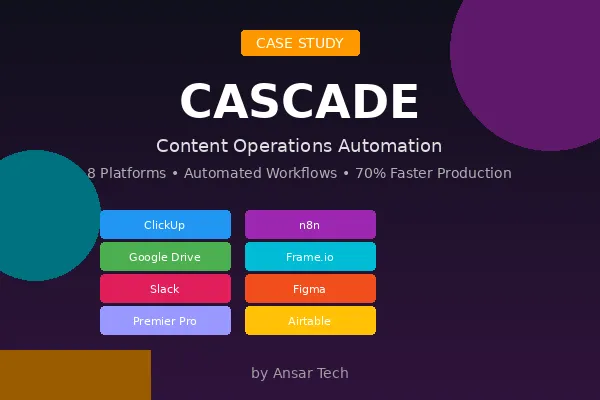
Cascade was architected as a sophisticated multi-platform automation connecting ClickUp for project management, Google Drive for centralized storage, Frame.io for video review, Figma for design collaboration, Slack for team communication, n8n for workflow automation, Premier Pro for editing integration, and Airtable for performance tracking. The project was delivered over three weeks of intensive build and integration work, resulting in a system that increased content turnaround speed by 60-70% while dramatically improving team coordination and output quality.
The result is a system that eliminates manual task updates, orchestrates complex multi-stakeholder workflows, maintains pristine file organization across platforms, and enables data-driven content optimization—transforming a process bottleneck into a scalable content engine that supports unlimited growth.
Solution Architecture
Cascade was architected as a comprehensive automation ecosystem connecting eight core platforms into a unified content operations system:
ClickUp serves as the central project management hub, orchestrating task creation, status updates, assignee management, and custom field population. n8n provides the automation backbone, coordinating complex workflows across disconnected platforms and triggering actions based on status changes, file uploads, and performance metrics. Google Drive manages centralized file storage with automated folder structures that maintain consistency across all content types. Frame.io handles video review workflows, enabling timestamp-specific feedback and approval tracking that integrates back into project management.
Slack coordinates team communication with automated notifications triggered by workflow milestones, review submissions, and approval completions. Figma enables collaborative design ideation for thumbnails and visual concepts before production begins. Premier Pro integration captures chapter markers and timestamps for automated content structuring. Airtable tracks content performance metrics and triggers rehashing workflows when videos meet performance thresholds.
This architecture enables seamless data flow across platforms that were never designed to work together, creating a unified automation ecosystem that operates continuously with minimal human intervention. The modular design allows each component to be updated or replaced independently while maintaining system integrity and workflow continuity.
Phase 1: Long-Form Content Pipeline - Research to Publication
Trigger:
Activated by content research sources including NPS forms, sales call insights, YouTube/Instagram comment analysis, and internal research systems.
Key Capabilities
Intelligent Idea Generation & Selection
Cascade implements a sophisticated content planning workflow that transforms raw research inputs into structured production tasks. The system analyzes multiple data sources—customer feedback forms, sales conversation patterns, social media engagement, competitor analysis, and Hyros sales data correlation—to identify content opportunities with the highest strategic value. Ideas are evaluated based on market relevance, title and thumbnail packaging potential, and alignment with funnel objectives or product messaging goals.
When content concepts are approved during monthly planning sessions, Cascade automatically creates ClickUp tasks with standardized naming conventions, proper content pillar categorization (Nurture Connectors, Attention Grabbers, Authority Builders, Results Showcase, Educational), publication month assignment, and format selection (YouTube, Podcast, Charting, Mindset, Vlog). This automated task creation eliminates the manual project setup that previously consumed hours of administrative time.
Automated File Structure & Storage Management
One of Cascade's most powerful features is automated Google Drive organization that maintains perfect consistency across all content projects. When tasks move to scripting stage, the system automatically creates nested folder structures following precise naming conventions: Google Drive → YT Content → [Year] → [Month] → [Internal Name - DD-MM-YY] → subfolders for A Cam, B Cam, Audio, and Assets. Parallel Frame.io review folders are created simultaneously, ensuring every project has proper storage and review infrastructure from the beginning.
This automated structure prevents the file chaos that plagued previous workflows—no more misplaced raw footage, inconsistent naming conventions, or confusion about which folder contains which content. Links to these folders are automatically populated into ClickUp custom fields, creating seamless navigation between project management and file storage systems.
AI-Powered Script Development
The Content Manager (formerly manual role) is automatically assigned when tasks enter scripting stage. Depending on content type, the scripting process leverages different resources: Mindset and Psychology content draws from AI tools and internal course materials, while Charting content is based on relevant recent trades and technical analysis. Scripts are uploaded to Google Docs and linked to ClickUp custom fields, triggering automatic progression to "Ready for Filming" status without manual intervention.
This intelligent routing ensures each content type receives appropriate scripting resources while maintaining workflow continuity regardless of content variation. The system understands content classification and adapts the scripting process accordingly.
Multi-Camera Production Coordination
When filming is complete, raw footage is uploaded to the automatically-created Google Drive folder structure with specific subfolders for each recording source (A Cam, B Cam, Audio, Assets). The system detects these uploads and triggers multiple downstream actions: Frame.io review folders are auto-populated with upload links, the Lead Editor is automatically assigned in ClickUp, raw footage custom fields are populated with direct links, and Slack notifications alert the editing team via #content-operations-alerts that files are ready for download.
This multi-trigger automation replaces what was previously a multi-step manual process requiring someone to upload files, create Frame.io folders, update ClickUp, notify editors, and ensure all links were properly recorded. Now it happens instantly and perfectly every time.
Intelligent Review & Feedback Loops
Cascade implements sophisticated review workflows that coordinate stakeholder feedback across Frame.io and Slack. When editors upload draft versions (D1, D2, D3, etc.) to Frame.io, the system automatically updates ClickUp status to "In Review" and sends Slack messages to #content-review tagging the Content Director. Feedback is provided via Frame.io's timeline comments (which integrate directly with Premier Pro editing software) and Slack thread discussions, creating centralized communication that eliminates scattered email chains and lost feedback.
The system includes Figma storyboarding integration for complex edits, enabling pre-visualization before time-consuming editing begins. Chapter markers are generated automatically from Premier Pro timeline markers via Google Sheets formatting, then populated into ClickUp custom fields with proper SEO-optimized formatting. This automated chapter marker system ensures consistent formatting and eliminates manual timestamp transcription errors.
When final approval is given in Frame.io, automation updates ClickUp to "Schedule" status, populates the approved video link custom field, auto-fills video duration in MM:SS format, and sends Slack notifications to #content-schedule tagging the Account Manager. The system even tracks which specific Frame.io file version was approved, preventing confusion about which draft is the final version.
Phase 2: Short-Form Content Pipeline - Concept to Viral Testing
Trigger:
Activated by content concept identification, which may involve multiple clips extracted from long-form videos with each clip becoming a separate task.
Key Capabilities
Strategic Content Pillar Framework
Short-form content follows a sophisticated strategic framework that categorizes every piece based on funnel position and audience objective. The system automatically tracks content distribution across five pillars: Nurture Connectors (10% - behind the scenes, day-in-the-life content building personal connection), Attention Grabbers (15% - pattern interrupts, hot takes, controversial statements), Authority Builders (20% - contrarian perspectives challenging industry misconceptions), Results Showcase (25% - proof and outcomes), and Educational (30% - valuable teaching content).
This categorization isn't just labeling—it drives performance tracking that informs future content strategy. Cascade enables data-driven decisions about content mix by tracking which pillar categories drive the most engagement, conversions, and audience growth.
Automated Naming & Task Standardization
When short-form concepts are identified, Cascade creates ClickUp tasks with standardized naming conventions that maintain consistency across thousands of content pieces. Tasks are automatically sorted by month and content pillar, with filming method (phone vs. camera), length specifications, and content type assignments all structured from the beginning. This standardization enables efficient filtering, reporting, and performance analysis that would be impossible with inconsistent manual task creation.
The system handles complex scenarios like multiple clips extracted from a single long-form video, where each clip becomes an independent task with proper tracking while maintaining relationship context to the source material.
Multi-Hook Testing & Optimization
One of Cascade's most innovative features is automated multi-hook video testing that implements true scientific content optimization. For each short-form piece, multiple opening hooks are filmed (Hook 1, Hook 2, Hook 3), with the same core content following each variation. The editor creates three complete video files, each with a different opening hook but identical body content, and uploads all variations to Frame.io for review.
After approval, Cascade implements an optional "Trial" phase where all three hook variations are published to Instagram Reels simultaneously. The system automatically uploads all three versions, waits 48 hours, analyzes view performance, and identifies the winning hook based on highest view count. This winning variation is then tagged for full multi-platform distribution while the others are archived.
This systematic testing approach replaces guesswork with data, enabling continuous optimization of hook effectiveness. Over time, patterns emerge about which hook styles, opening statements, or visual approaches drive the most initial engagement—insights that inform future content strategy.
Automated Folder Structure for Short-Form
Similar to long-form content, Cascade creates parallel folder structures in both Google Drive and Frame.io for every short-form piece: Google Drive → SF Content → [Year] → [Month] → [Task Name - Date] → subfolders for Tailored Assets, Tailored B Cam, Audio, Screen Recording, and Thumbnail. These folders are automatically linked in ClickUp custom fields, and editors receive Slack notifications when footage is ready.
The "Tailored Assets" concept is particularly sophisticated—these are video-specific visual elements like trade screenshots, custom graphics, or unique overlays that only apply to this specific content piece. By maintaining separate folders for these assets, the system prevents the asset confusion that occurred when generic and specific resources were mixed together.
Caption Generation & Metadata Management
Editors write captions for each video variation and store them in ClickUp custom fields, enabling automated caption population during scheduling. The system maintains separate caption fields for different platforms (Instagram vs. TikTok vs. YouTube Shorts) when platform-specific messaging is required, while defaulting to shared captions when content is platform-agnostic.
Hook text is captured in dedicated custom fields, enabling performance analysis that correlates specific hook language with engagement metrics. This structured metadata approach transforms content from isolated pieces into a queryable database that reveals performance patterns.
Phase 3: Thumbnail Design & Iterative Review System
Trigger:
Activated when video content is approved and ready for packaging, or when rehashing performance-driven content updates.
Key Capabilities
Figma-Based Concept Ideation
Before creating final thumbnails, Cascade implements a "Thumbnail Ideation" stage that dramatically reduces wasted design effort. The Designer creates a Figma board with multiple thumbnail concepts using templates and visual references, then pastes the Figma link into a ClickUp custom field. This triggers automatic notification to the Content Director for concept approval before any detailed design work begins.
This ideation-before-execution approach prevents the common problem where designers spend hours creating detailed thumbnails only to have the entire concept direction rejected. By validating visual direction upfront with quick mockups, the system ensures design time is invested only in approved concepts.
Automated Variation Creation & Review
Once concepts are approved, the Designer creates three complete thumbnail variations (T1, T2, T3) following standardized naming conventions ([T1/T2/T3] - [Internal Name].jpeg) and uploads them to Frame.io's thumbnail folder. The system automatically detects these uploads and triggers Slack notifications to #content-review without overwhelming the Content Director with three separate alerts—instead, a single message indicates all variations are ready.
Feedback is provided via Loom videos embedded in Frame.io and cross-posted to Slack threads, creating centralized communication that doesn't get lost. The system tracks which thumbnail variation was approved and automatically populates the approved thumbnail link into ClickUp custom fields, triggering downstream automation for scheduling and publication.
Designer Workflow Optimization
Cascade intelligently manages designer assignment and handoffs. When tasks move to "Thumbnail & Title" stage, the system automatically removes the Content Manager from assignee list and adds the Designer, preventing notification overload and clearly communicating responsibility transfer. When thumbnails are approved, the Designer is removed from the task, keeping their ClickUp queue clean and focused only on active work.
This automated assignee management sounds simple, but it eliminates the constant manual ClickUp gardening that previously consumed administrative time and created confusion about who was responsible for what.
Phase 4: Performance-Driven Content Rehashing Pipeline
Trigger:
Activated weekly (Saturday schedule) when performance tracking identifies content candidates for optimization.
Key Capabilities
Automated Performance Analysis & Candidate Selection
Cascade's most sophisticated feature is the automated content rehashing system that implements continuous optimization based on actual performance data. Every week, Airtable performance tracking analyzes published content and identifies videos that meet specific criteria for rehashing: strong view velocity but declining click-through rate, high watch time but poor thumbnail packaging, or content that performed well but could be re-optimized for algorithm changes.
When candidates are identified, Cascade automatically creates ClickUp rehashing tasks with pre-populated custom fields including YouTube URL, internal name, original publication date, rehash date, and month. These tasks are automatically assigned to the Designer and placed in "Queued" stage, creating a ready-to-work pipeline without manual task creation.
Structured Rehashing Workflow
The rehashing process follows a systematic approach: the Designer reviews the original thumbnail, title, and video content (key scenes, visual anchors), analyzes competitor examples and performance notes, then creates new thumbnail variations using the same Figma ideation process as original content. The system creates dedicated Frame.io folders (Video Rehashing → [Year] → [Month] → [Rehash Date] – [Internal Name]) for review organization.
When new thumbnails are approved, the Content Director updates both thumbnail and title (if applicable) in YouTube, and the system logs original performance metrics as baseline. Automated 7-day follow-up tracking compares new performance against the baseline, calculating CTR improvement, average view duration changes, and view velocity shifts.
Intelligent Performance Classification
Cascade automatically classifies rehash results into three categories based on specific thresholds:
WIN (bonus eligible): CTR increased by ≥10% AND ≥0.3 percentage points (e.g., 4.7% → 5.1%), AND average view duration increased by ≥5% AND ≥5 seconds. This indicates the rehashing successfully improved both click appeal and content retention.
NEUTRAL: CTR increased but didn't meet thresholds, or watch time remained flat. This indicates minor improvement but not significant enough to warrant bonus compensation.
LOSS: Either CTR decreased or average view duration dropped versus before. This indicates the rehashing didn't improve performance and the original packaging may have been better.
This automated classification creates objective performance evaluation that removes subjectivity from bonus eligibility and provides clear feedback about which rehashing approaches actually work.
Weekly Coordination & Team Alerts
Every Saturday before weekly meetings, Cascade sends automated Slack messages to #content-operations-alerts tagging the Designer with a summary like "Next week's rehash candidates are in the queue" plus a direct link to the ClickUp rehashing board. This single weekly notification replaces what would otherwise be multiple individual alerts and provides clear visibility into upcoming work.
The system also prevents duplicate rehashing—if the same video appears as a candidate multiple times over months, the system tracks previous rehash attempts and surfaces this history to prevent redundant work on content that didn't respond to optimization.
Phase 5: Multi-Platform Scheduling & Publication Automation
Trigger:
Activated when content is fully approved (either direct approval or winning hook identified from trial phase).
Key Capabilities
Unified Scheduling Orchestration
When final content is approved, Cascade triggers a comprehensive scheduling automation that coordinates multiple platforms simultaneously. The system updates ClickUp status to "Schedule," populates the approved video link custom field with the winning Frame.io asset, and sends Slack notifications to #content-schedule tagging the Account Manager with all necessary information for publication.
The auto-scheduler system (specific implementation depends on publication platform integrations) pulls the final video from Frame.io, retrieves the caption from ClickUp custom fields, extracts the winning hook text for optimized titles, and schedules publication across multiple platforms (Instagram, YouTube Shorts, TikTok, etc.) with a single workflow execution.
Platform-Specific Optimization
For short-form content, Cascade understands platform-specific requirements and optimizes accordingly. Instagram Reels receive different caption formatting than TikTok posts. YouTube Shorts include chapter markers when applicable. The system maintains separate custom fields for platform-specific metadata while defaulting to shared content when appropriate.
This intelligent platform awareness eliminates the manual translation work that previously occurred when repurposing content across platforms with different technical requirements or cultural norms.
Post-Publication Performance Tracking
Once videos go live, Cascade automatically updates task status to "Published" and initiates performance tracking workflows. For long-form content, chapter marker performance, click-through rates, and average view duration are monitored. For short-form content, view velocity in the first 48 hours, engagement rates, and save/share metrics are tracked in Airtable.
This tracking data feeds back into the content planning system, informing which topics, formats, and approaches should be prioritized in future monthly planning sessions. The system creates a continuous improvement loop where performance insights directly influence content strategy.
Airtable Integration for Analytics
Performance data from all platforms is centralized in Airtable, enabling cross-platform analysis that reveals patterns invisible when viewing platforms in isolation. The system tracks which content pillars perform best on which platforms, which hook styles drive the most initial engagement, which thumbnail concepts generate the highest CTR, and which topics correlate with the most sales attribution (when integrated with Hyros sales tracking).
This centralized analytics approach transforms content from isolated pieces into a strategic dataset that drives increasingly effective content decisions over time.
Return on Investment
This AI-powered content operations system delivered transformational efficiency improvements for the trading education platform:
60-70% Faster Content Turnaround – Cascade eliminated the manual task management, file organization, and coordination overhead that previously consumed hours daily. Content moves from concept to publication significantly faster while maintaining higher quality standards through systematic review processes.
Zero Manual Task Management – The system automatically creates tasks, updates statuses, assigns team members, populates custom fields, and maintains project data without human intervention. This eliminates the administrative burden that previously distracted team members from creative work.
Perfect File Organization – Automated folder structures with standardized naming conventions ensure every piece of content has proper storage organization from the beginning. No more lost files, inconsistent naming, or confusion about which folder contains which assets.
Data-Driven Content Optimization – The multi-hook testing system and automated rehashing pipeline implement scientific optimization that continuously improves content performance. Rather than guessing which thumbnails or hooks work best, the system generates objective data that informs strategy.
Seamless Multi-Stakeholder Coordination – Automated Slack notifications, Frame.io review workflows, and ClickUp status updates keep all team members perfectly synchronized without constant manual check-ins. Everyone knows exactly what needs attention and when.
Scalable Content Operations – The system handles unlimited content volume without additional coordination overhead. Adding more content simply means more automated task creation—the infrastructure scales effortlessly.
Cross-Platform Performance Intelligence – Airtable integration creates unified analytics that reveal performance patterns across YouTube, Instagram, TikTok, and other platforms. This cross-platform visibility enables strategic decisions impossible when platforms are managed in isolation.
Reduced Communication Overhead – By centralizing all communication triggers in Slack with context-rich notifications that link directly to relevant ClickUp tasks and Frame.io reviews, the system eliminates the scattered email threads, direct messages, and verbal requests that previously caused miscommunication.
The modular architecture ensures the trading education platform can expand features—adding new platforms, integrating additional tools, or implementing new content formats—without disrupting existing workflows. The result is faster production cycles, higher content quality through systematic review, perfect operational consistency, and a scalable foundation that supports unlimited growth.
Technical Foundation
Platform Ecosystem
ClickUp - Central Project Management Hub
ClickUp serves as the orchestration layer where all content tasks are created, tracked, and managed. The system leverages custom fields extensively to store structured metadata: video links, script documents, Frame.io folder URLs, thumbnail files, hook text, performance metrics, publication dates, content pillars, and more. Automations trigger when custom fields are populated or statuses change, creating the event-driven architecture that powers Cascade's intelligent workflows.
Custom views and boards segment content by format (long-form vs. short-form), status stage (scripting, filming, editing, review, scheduled, published), content pillar, publication month, and team member assignment. This sophisticated filtering enables each team member to see only their relevant work while leadership maintains comprehensive visibility across all content operations.
n8n - Workflow Automation Backbone
n8n provides the critical automation infrastructure that connects ClickUp, Google Drive, Frame.io, Slack, Airtable, and other platforms. Complex workflows are built as visual node graphs that trigger based on ClickUp status changes, file uploads detected in Google Drive, Frame.io approval events, scheduled time triggers, or Airtable performance threshold crossings.
The power of n8n lies in its ability to coordinate multi-step workflows with conditional branching, data transformation, error handling, and retry logic. For example, when a ClickUp task moves to "Ready for Filming" status, n8n triggers workflows that create parallel folder structures in both Google Drive and Frame.io, populate ClickUp custom fields with folder links, assign the appropriate team member, and send Slack notifications—all within seconds of the status change.
Google Drive - Centralized File Storage
Google Drive manages all raw footage, edited videos, thumbnail files, script documents, and supporting assets with automated folder structures that maintain perfect organizational consistency. The folder hierarchy (Content Type → Year → Month → Task Name-Date → Asset Subfolders) is created programmatically by n8n workflows, ensuring every project follows identical structure regardless of who initiates it.
File upload detection triggers downstream automation—when raw footage appears in designated folders, n8n workflows detect these additions and trigger notifications to editors, populate ClickUp custom fields with direct links, and update task statuses. This event-driven approach eliminates the manual checking and updating that previously occurred.
Frame.io - Video Review & Collaboration
Frame.io provides sophisticated video review capabilities with timestamp-specific commenting, version control, approval tracking, and stakeholder collaboration. The system creates parallel Frame.io folder structures that mirror Google Drive organization, enabling seamless navigation between storage and review platforms.
The critical integration is Frame.io's Premier Pro plugin, which syncs timeline comments directly into the editing software. This means feedback left in Frame.io appears at the exact timestamp in the Premier Pro timeline, eliminating the manual searching for which scene a comment refers to. This integration dramatically accelerates the feedback implementation process.
Approval events in Frame.io trigger n8n workflows that update ClickUp statuses, populate approved video link custom fields, and initiate scheduling automation. This creates seamless progression from review to publication without manual intervention.
Slack - Team Communication Hub
Slack serves as the central notification system, with dedicated channels for different workflow stages: #content-operations-alerts for production notifications, #content-review for review requests, #content-schedule for publication coordination. Automated messages are context-rich, including direct links to ClickUp tasks, Frame.io reviews, and relevant documentation.
The system implements intelligent notification batching—rather than sending three separate alerts when three thumbnail variations are uploaded, a single message indicates all variations are ready. This prevents notification fatigue while maintaining team awareness of work ready for attention.
Thread-based discussions in Slack create organized conversations that don't get lost in channel noise. Loom videos are embedded in threads, creating visual feedback that's more effective than text descriptions for video content.
Figma - Collaborative Design Ideation
Figma integration enables pre-visualization before detailed design work begins. Thumbnail concepts are mocked up quickly using templates, then shared via Figma links pasted into ClickUp custom fields. This triggers automatic notifications to the Content Director for concept approval before hours are invested in detailed design execution.
The same ideation approach applies to complex video edits—storyboards can be created in Figma to visualize shot sequences, transitions, or complex graphics before editing begins. This upfront visualization prevents costly re-editing when creative direction changes after significant work is already complete.
Premier Pro - Editing Integration
Premier Pro serves as the primary video editing platform, with specific integrations that enable workflow automation. Chapter markers placed in the Premier Pro timeline are exported via automated workflows, formatted in Google Sheets with proper timestamp and description structure, then populated into ClickUp custom fields for YouTube chapter marker upload.
The Frame.io Premier Pro plugin creates bidirectional integration where timeline comments from Frame.io appear directly in the editing timeline, and editor notes can be pushed back to Frame.io for client visibility. This tight integration eliminates the constant platform switching that previously disrupted editing focus.
Airtable - Performance Tracking & Analytics
Airtable manages all content performance data with structured tables that track views, click-through rates, average view duration, engagement metrics, sales attribution (when integrated with Hyros), content pillar categorization, and publication dates. Automated imports from platform APIs keep performance data current without manual data entry.
The critical feature is Airtable's ability to trigger external workflows based on calculated thresholds. When content meets specific performance criteria (high views but declining CTR, for example), Airtable webhooks trigger n8n workflows that automatically create rehashing tasks in ClickUp with pre-populated data. This closes the loop between performance analysis and operational action.
Data Flow Architecture
Long-Form Content Flow:
Research Sources feed content planning → Monthly Planning identifies priorities
ClickUp task creation triggered with content pillar, format, month, publication date
Automation moves to Scripting when all planning fields populated
Script completion triggers Google Drive folder creation and Frame.io setup
Filming completion triggers editor assignment and Slack notifications
Edit upload to Frame.io triggers status change to "In Review" and Slack alerts
Frame.io approval triggers status change to "Schedule" and scheduling automation
Publication updates status to "Published" and initiates performance tracking
Performance tracking feeds Airtable analytics and potential rehashing pipeline
Short-Form Content Flow:
Concept identification creates ClickUp task with content pillar and specifications
Automation assigns Content Manager for script/outline creation
Script completion triggers folder structure creation and filming readiness
Multi-hook filming captured with separate variations of opening hook
Upload triggers editor assignment and automated notification
Editor creates three video files with same core content, different hooks
Optional trial phase publishes all three to Instagram Reels
48-hour analysis identifies winning hook based on view performance
Winning variation scheduled across all platforms with automated captions
Performance tracking analyzes hook effectiveness and informs future strategy
Rehashing Flow:
Weekly Airtable analysis identifies performance optimization candidates
Automated ClickUp task creation with pre-populated URLs and dates
Designer assignment triggers with Slack notification of queued work
Figma ideation creates thumbnail concepts for approval
Approved concepts progress to detailed thumbnail creation
Frame.io review validates new thumbnail quality
Approval triggers YouTube updates with new thumbnail and title
7-day tracking compares new performance vs. baseline
Automated classification determines WIN/NEUTRAL/LOSS outcome
Results feed future thumbnail strategy and designer bonus eligibility
Integration Principles
Event-Driven Architecture
Cascade operates on an event-driven model where actions in one platform trigger cascading automation across all connected systems. File uploads, status changes, approval events, performance threshold crossings, and scheduled times all serve as triggers that initiate multi-step workflows. This approach eliminates the polling and manual checking that characterizes traditional project management.
Modular Workflow Design
Each automation workflow is designed as an independent module that can be updated, replaced, or enhanced without disrupting the entire system. If ClickUp introduces new API capabilities, only the specific ClickUp integration workflows need updating. If the team switches from Frame.io to another review platform, only the review workflows require modification while task management and scheduling remain unchanged.
Idempotent Operations
Workflows are designed to be safely re-runnable without causing duplicate data or cascading errors. If a workflow executes twice due to retry logic or timing issues, the system detects existing data and updates rather than duplicates. This idempotency ensures data consistency even when platform APIs behave unpredictably.
Error Resilience
Built-in error handling ensures that temporary platform outages or API failures don't cause permanent data loss or broken workflows. When individual steps fail, the system implements exponential backoff retry logic, logs errors for manual intervention when necessary, and maintains workflow state so operations can resume from the failure point rather than restarting from scratch.
Scalability by Design
The architecture supports unlimited content volume without performance degradation. Adding 100 new content pieces simply means 100 additional task creation events that trigger the same automation workflows. There's no architectural bottleneck that would require infrastructure changes as content volume increases.
Technical Specifications
Average Automation Response Time: 5-15 seconds from trigger event to workflow completion (varies by platform API response times)
System Uptime: 24/7 automated operation with maintenance windows only for planned n8n updates
Concurrent Processing: Handles multiple simultaneous content pieces across all workflow stages without conflicts
Data Retention: Complete workflow history and content metadata maintained indefinitely in ClickUp and Airtable
Customization Depth: Fully configurable content pillars, team roles, folder structures, notification preferences, and performance thresholds
Platform Independence: Modular architecture allows individual platform replacements without system-wide rebuilds
Error Rate: <2% workflow failures (typically due to external API timeouts rather than logic errors)
Team Training Time: 1-2 hours for team members to understand their specific workflow touchpoints (full system understanding not required for effective use)
Conclusion
Cascade represents a sophisticated synthesis of content strategy, workflow automation, and cross-platform integration—transforming content operations from a series of manual coordination tasks into an intelligent, self-managing system. By handling unlimited production volume simultaneously, implementing systematic quality control through structured review processes, maintaining perfect organizational consistency, and enabling data-driven optimization through performance tracking, Cascade delivers immediate operational efficiency while creating long-term strategic advantages.
The comprehensive automation eliminates administrative burden, allowing team members to focus exclusively on creative work rather than project management overhead. The systematic review workflows ensure quality standards are consistently applied regardless of production volume. The performance tracking and rehashing systems implement continuous optimization that improves content effectiveness over time.
For content-driven businesses struggling with production bottlenecks, inconsistent quality control, scattered communication, file organization chaos, or the inability to implement data-driven optimization at scale, Cascade demonstrates what's possible when sophisticated workflow automation meets thoughtful content operations design.
The three-week implementation timeline delivered a 60-70% improvement in content turnaround time—a dramatic acceleration that compounds as content volume increases. More importantly, the system creates scalable infrastructure that supports unlimited growth without proportional increases in coordination overhead or administrative burden.
About Ansar Tech
Founded by Zian Ansar, Ansar Tech specializes in building sophisticated automation systems that transform complex business operations into streamlined, intelligent workflows. Rather than implementing generic automation tools, Ansar Tech designs custom integration architectures that solve specific operational challenges while creating scalable infrastructure for long-term growth.
Contact
For inquiries about content operations automation, multi-platform workflow integration, or custom automation system development, reach out to discuss how Ansar Tech can solve your specific operational challenges.


